A post-match breakdown lives or dies on its evidence. You say the high line collapsed after the 60th minute, and the reader wants to see the through ball that proved it. Anyone who writes football analysis, whether for a blog, a podcast or a video channel, ends up needing short clips: a pressing trigger, a set-piece routine, a coach explaining a tactic. The practical question is how to save those clips for study without stepping over copyright lines. EzyDownload is a free online video and audio downloader that handles the saving part. This article looks at how a football commentator can use it, and, just as important, where it should not be used.
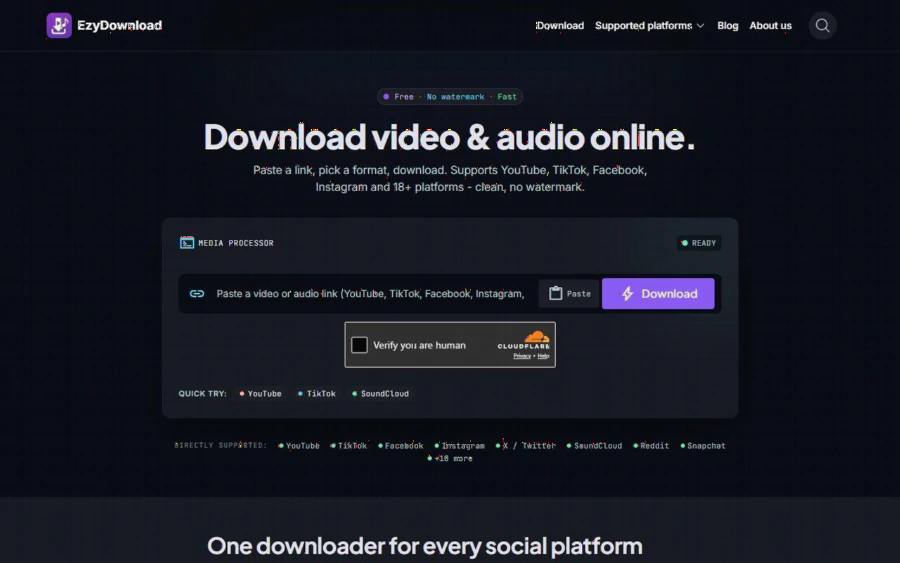
EzyDownload homepage with a link box, Download button and the list of directly supported platforms such as YouTube, TikTok, Facebook, Instagram and SoundCloud
The commentator's problem: clips you need and clips you may use
Football content is some of the most tightly controlled media on the internet. Broadcast footage of league matches is licensed to rights holders, and clubs and leagues enforce that hard. A commentator who grabs a full-match highlight from a broadcaster and republishes it can expect takedowns or channel strikes.
But a lot of useful material is legitimately available to you:
- Your own footage. Training sessions you film for a local club, amateur matches you cover, your own commentary recordings, and your own channel uploads.
- Material with permission. A club media officer or a coach who sends you a clip for your piece, ideally with the permission in writing.
- Clips under a license that allows reuse. Some creators publish under terms that allow reuse with credit. Read the license; do not assume.
- Audio for your own listening. A press conference or a coach interview from an official channel, saved for note-taking.
The common thread is rights. EzyDownload does not create those rights. It only moves a file from a public page to your device. The responsibility stays with you, and the site says so itself.
What EzyDownload actually does
According to the homepage and the About page, the workflow is short. You copy a link from the source platform, paste it into the box, choose MP4 or an audio format, pick a quality, and download. The file goes straight to your device.
The facts that matter for an analyst, all taken from the site's own pages:
- Platforms. More than 18, with direct support for YouTube (including Shorts), TikTok, Facebook, Instagram, X, SoundCloud, Reddit and Snapchat.
- Formats. MP4 (H.264/AAC) and WEBM (VP9) for video, MP3 and M4A for audio. Video options run up to 4K (2160p), and audio goes up to 320 kbps. The actual quality depends on what the source offers.
- Watermarks. The site says TikTok downloads come without the platform's logo overlay.
- No account. No sign-up, email or password. It runs in a browser on desktop and mobile, so no app or extension is needed.
- No server storage. The About page states: "We store no files on our servers and keep no download history tied to your identity."
- Price. Free. There is no paid plan.
Here is how that fits a football workflow. Say you filmed a Sunday league match and posted the full video on your channel. Later you want a 25 second extract of one corner routine for a tactics post. Copy the link, download the MP4 at 1080p, trim it in your editor, and annotate it with arrows. You skipped a screen recording and kept the original quality.
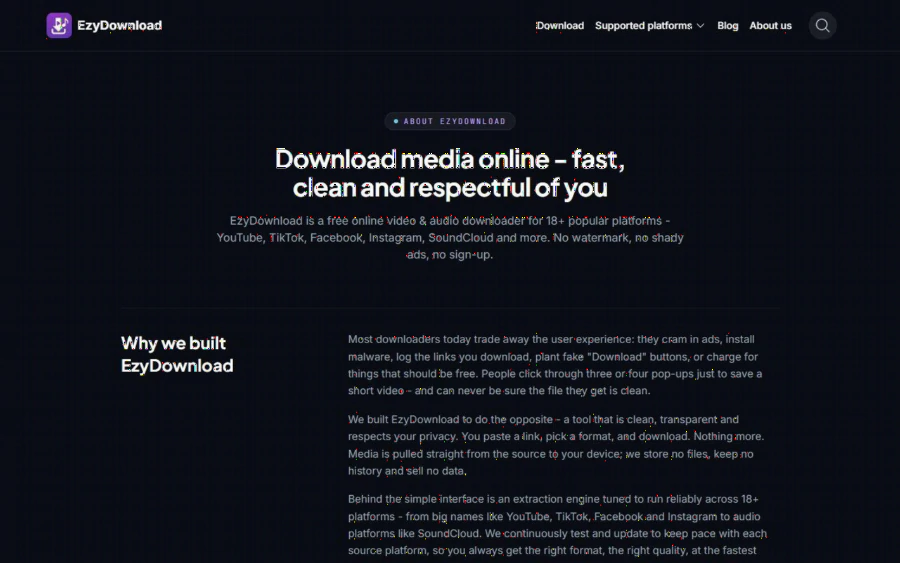
EzyDownload About page explaining the free downloader, no watermark, no sign-up and its privacy approach
The copyright line, stated plainly
This is the part to read twice. The About page says: "You are responsible for making sure you have the right to download the content" and "Only download your own content, licensed content, or content the source platform allows." The footer adds a request to respect the copyright of the source platform.
For a football writer, that translates into some simple rules:
1. Do not download broadcast footage you have no license for, even if it is publicly viewable. Public does not mean free to reuse.
2. Do not republish someone else's clip just because a tool saved it. Saving a file for private study is different from posting it.
3. If you want to quote or analyze copyrighted footage, check the rules that apply where you publish. Short excerpts for criticism or commentary are treated differently in different countries, and I am not giving legal advice here. A lawyer or the platform's own policy is the right authority.
4. Prefer links and embeds for material you do not own. Embedding the original keeps the rights holder in control and keeps your page safe.
5. Ask. A short email to a club media team often gets you clean clips with a credit line agreed.
The tool also has technical limits that line up with this: it only handles public media. Private accounts, paywalled and login protected content fail, and DRM protected content is not processed. That cuts off a large amount of premium match footage by design.
Strengths and limits
Strengths. It is free, fast and needs no account. The interface is one box and one button. It covers the platforms where football clips usually circulate (YouTube, X, Instagram, TikTok, Facebook). Audio extraction is useful if you want to review a coach's press conference on the way to work. The privacy stance, no file storage and no history tied to you, is a plus for people who dislike creating yet another account.
Limits. The site says "no cap on basic downloads" but does not define "basic". It does not state a file size limit or an uptime guarantee. The homepage showed a Cloudflare "Verify you are human" check when I captured it, which is a small extra step. Extraction depends on each source platform, so a download may fail when that platform changes something. At the highest resolutions some sources split video and audio, and the site suggests merging them with a tool such as HandBrake or FFmpeg. It is also not an editor, so you still need separate software for trimming and annotation. The site also promotes Tinee AI, a separate product, which is not part of the downloader itself.
How it compares with similar tools
Tools like SaveFrom.net, Y2mate and SnapInsta cover similar ground, and many people already use them. I did not benchmark them against EzyDownload here, so I will not claim a winner on speed. What the EzyDownload pages emphasize is a single tool across 18+ platforms, no sign-up, no watermark and no stored files. If your football sources are mostly on one platform, you may be fine with a specialist. If you pull clips from X, YouTube and Instagram in the same afternoon, one tool saves switching. Whichever you choose, the same copyright rules apply.
Who should use it, and who should not
Good fit: independent football writers, podcasters and YouTubers who film or are given their own material; analysts at amateur clubs who archive their own training and match recordings; students of coaching who want audio from public interviews for personal study.
Not a fit: anyone hoping to build a channel on re-uploaded broadcast highlights. That is a rights problem, and no downloader fixes it. Also not a fit if you need guaranteed uptime for a production pipeline, since the site makes no such promise.
Getting started
Start with something you own. Open the link box on the homepage, paste the link of one of your own match videos, choose MP4, and compare the 1080p and 720p files on your machine. Then try an audio only download of a public interview you are allowed to keep. Once the routine works, write down a small clip log for each article: where the clip came from, who owns it, what permission you have, and where you used it. That one habit protects your site far more than any tool setting, and it makes your tactical analysis easier to defend when a reader, or a rights holder, asks where the footage came from.